The fine art of picking up on a soft surface — featuring Nebius Serverless AI
The full video: teaching a robot arm to pick a flat washer off a soft surface — training, materials, and Nebius serverless jobs. Transcription and stills inside.
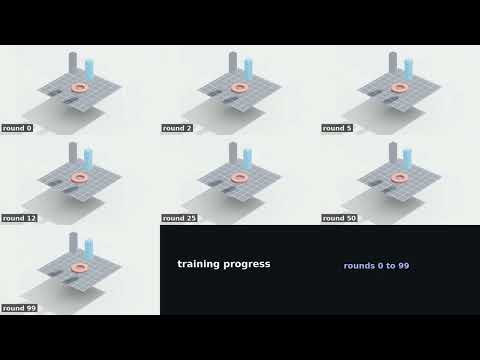
What follows is a written-up account of the video, with still shots — it's best experienced by watching the video above.
#more#
The virtual workshop
OK — here's where we're at with our robot training. This is a cobot arm in our virtual workshop, sorting small hardware: nuts, bolts… and, well, not washers just yet. It handles large nuts and bolts quite reasonably. Small flat objects, however, are painful.
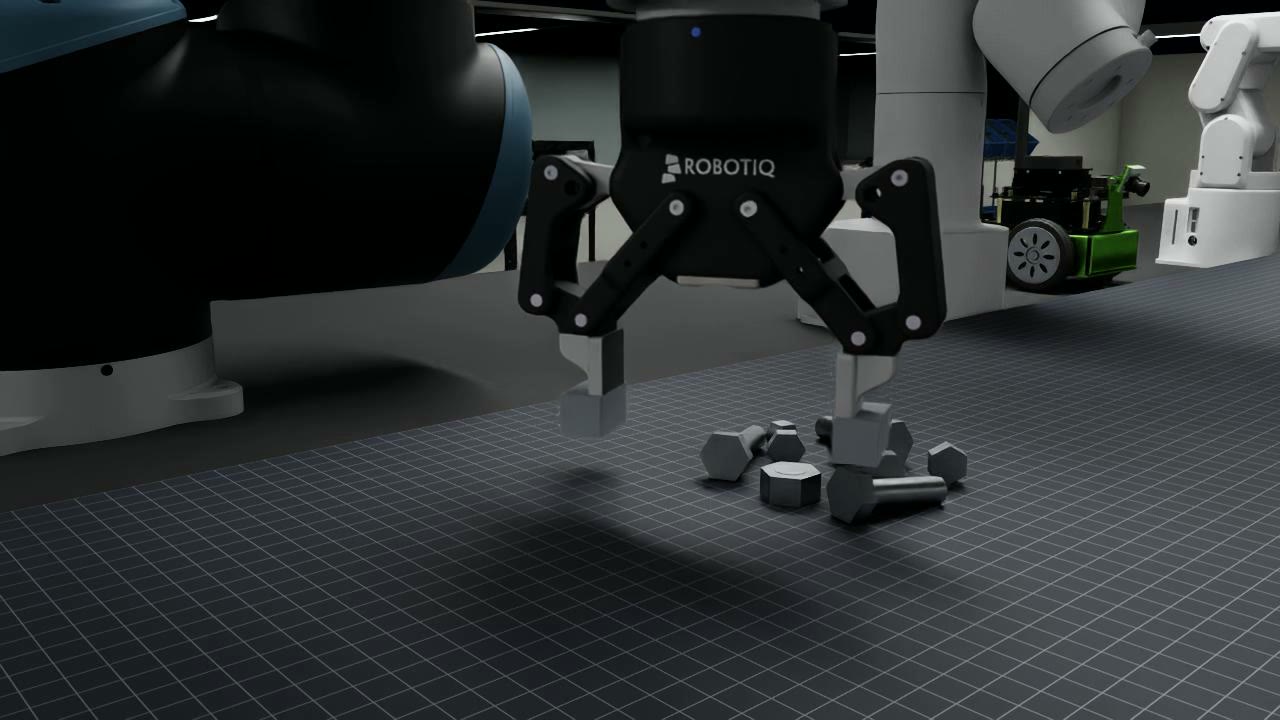
A key feature of this setup is that the working surface isn't actually solid — it's soft. In this grab you can see the fingers pressing into the surface to get a grip further down on the part.
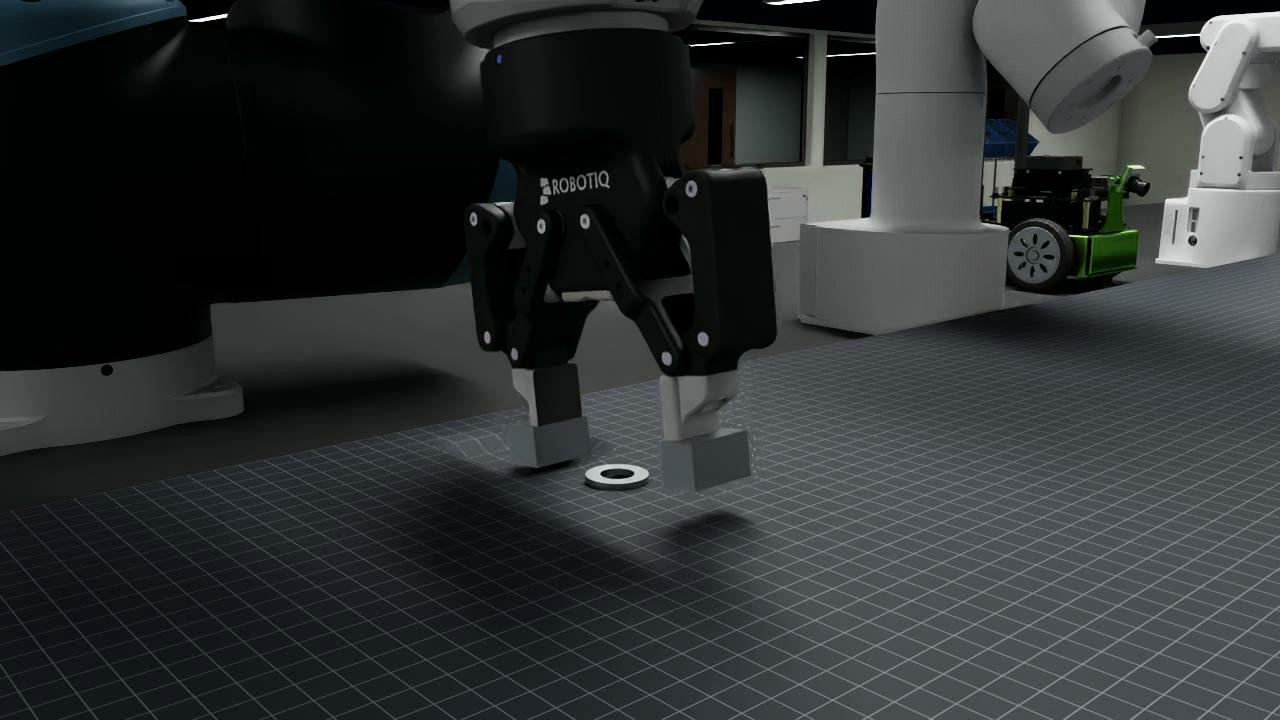
The hard case: a flat washer
A flat washer lying face-down on a table is a well-known problem in general, and it's especially tricky with parallel-jaw grippers like these. The go-to answer is to sidestep it with suction. With fingers, any small variance you'd meet in reality means the jaws close on the part and it slides out, flips away, or simply gets pushed around — you never pick it up.
The trick: press one edge, catch the other
The idea is simple and physical: put the part on a soft surface, press down on one edge of the washer, and the opposite edge tips up — into reach of the other finger.
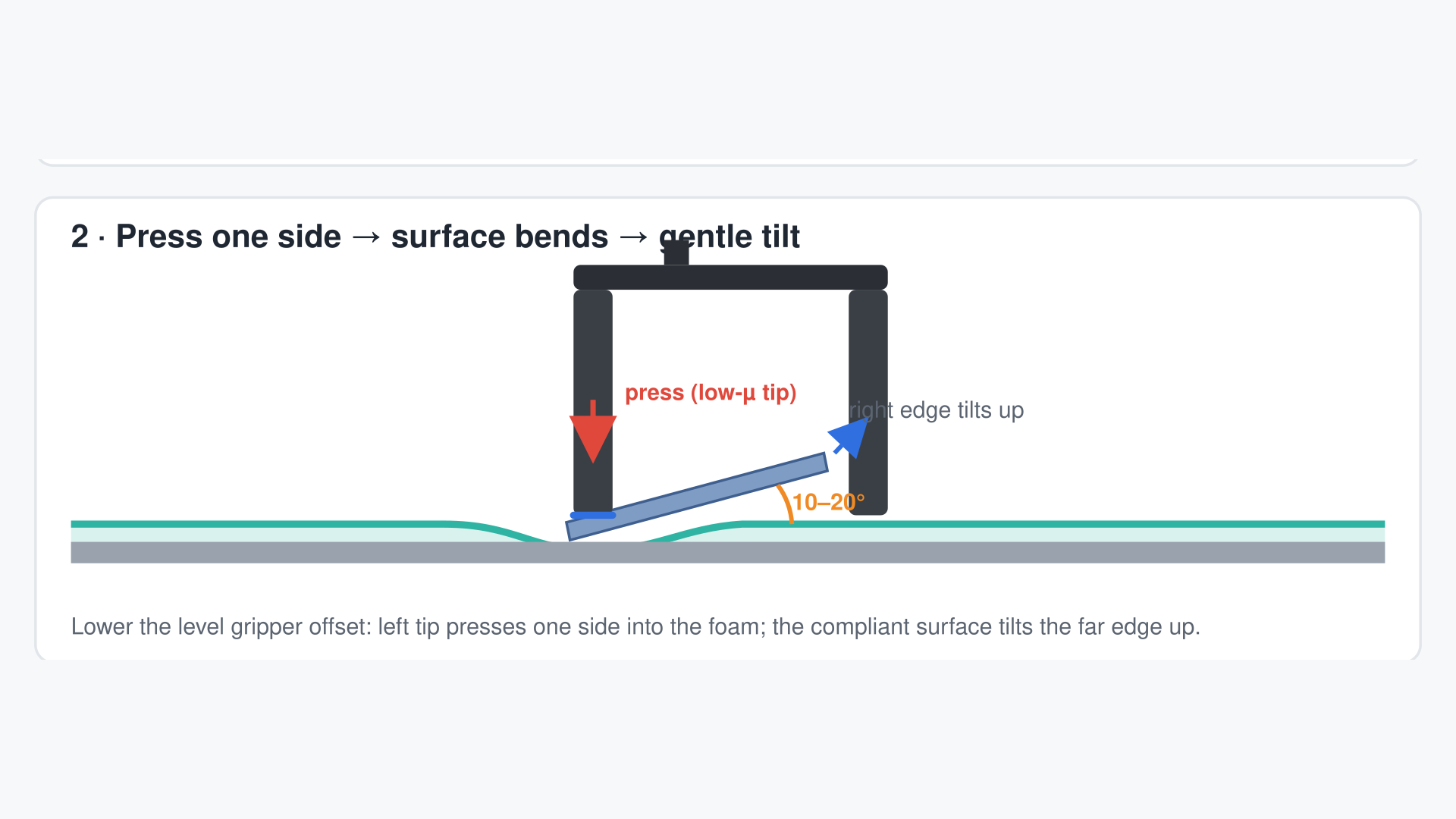
From there the washer can be raised to vertical, held with enough of it below the fingertips to be grabbed and lifted properly. The rest of this post is about how we built the model and trained that maneuver.
Simulating a soft surface
The first surprise is that a soft pad is genuinely hard to simulate. NVIDIA has an FEM soft-body material, and I went down that rabbit hole — a story for another day. What we use instead is (if I'm pronouncing it correctly) a Winkler–Pasternak foundation.
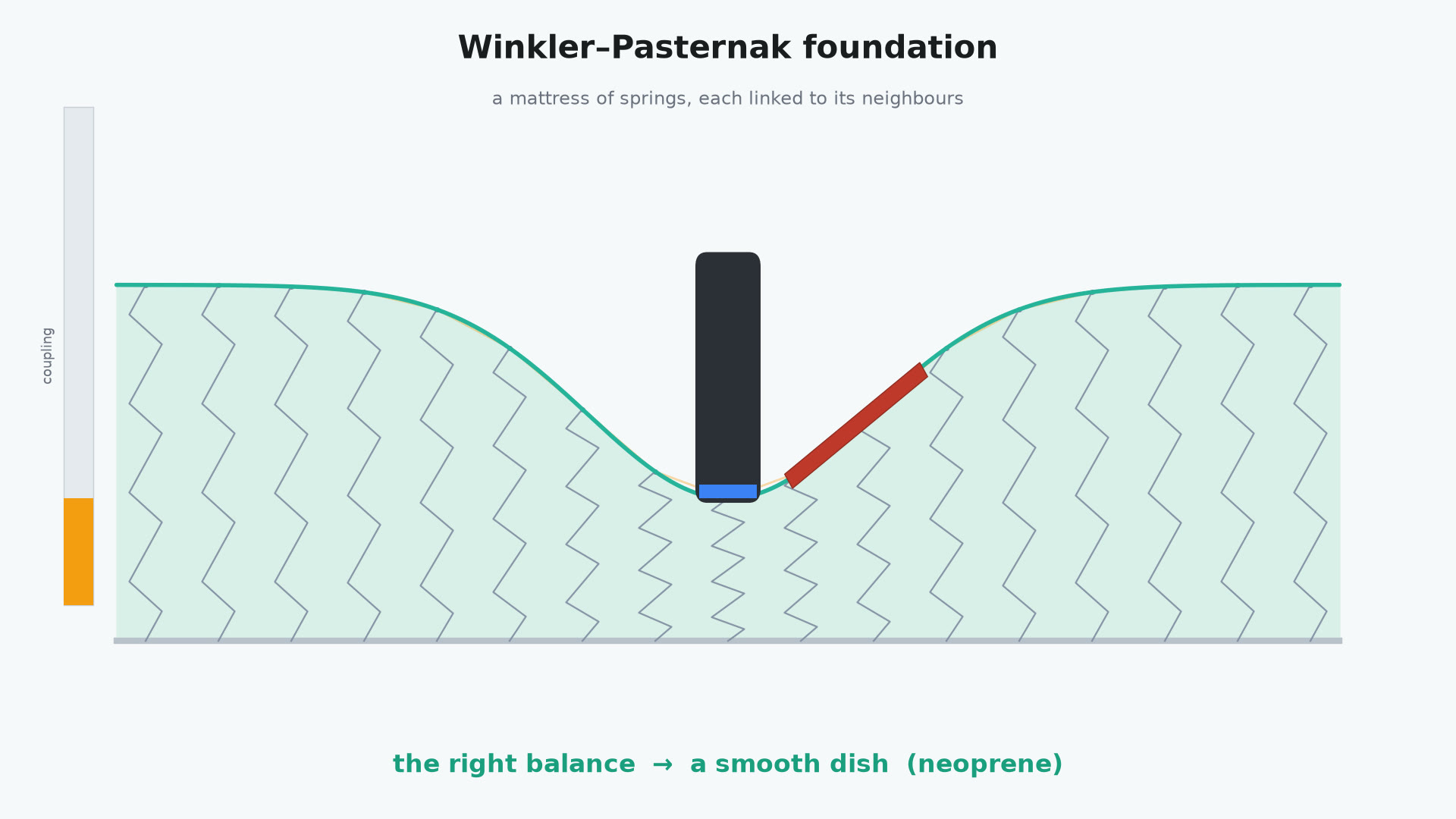
It's basically a mattress: a grid of small spring-loaded units, each connected to its neighbours, so pressing one square influences the squares around it. A handful of parameters shape how the material behaves.
With too little influence between the units, the material behaves like a gel: a press cuts straight in, leaving steep cliffs around the finger, and lifting out of that pocket sends the washer flipping all over the place.
With too much influence it goes the other way — the surface acts like one great big spring, deflecting as a plate or a shallow curve. It's a balance you have to tune.
What I've gone for is a neoprene-like material — essentially what a mouse pad is made of. The next step is training the gripper against it: the approach angles, the press depths, and the sensing you'd model in the gripper itself.
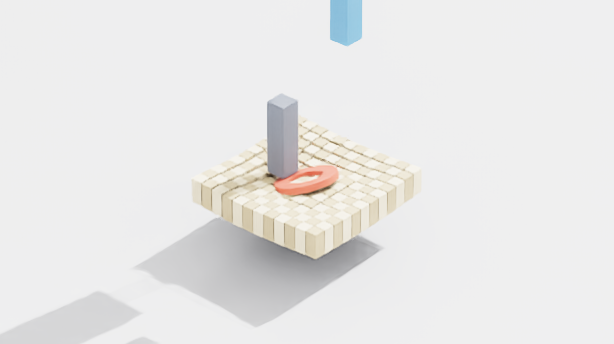
Training the maneuver
The maneuver itself is just a set of parameters: how far over the rim to press, how deep, where the second finger starts, when it begins closing after the press, how high to lift, which finger moves and which holds position.
Populations, iterations, and rewards
Those parameters are what we train. We use Isaac Lab to run a whole population of tests at once — the real view is much bigger than what I'm showing here.
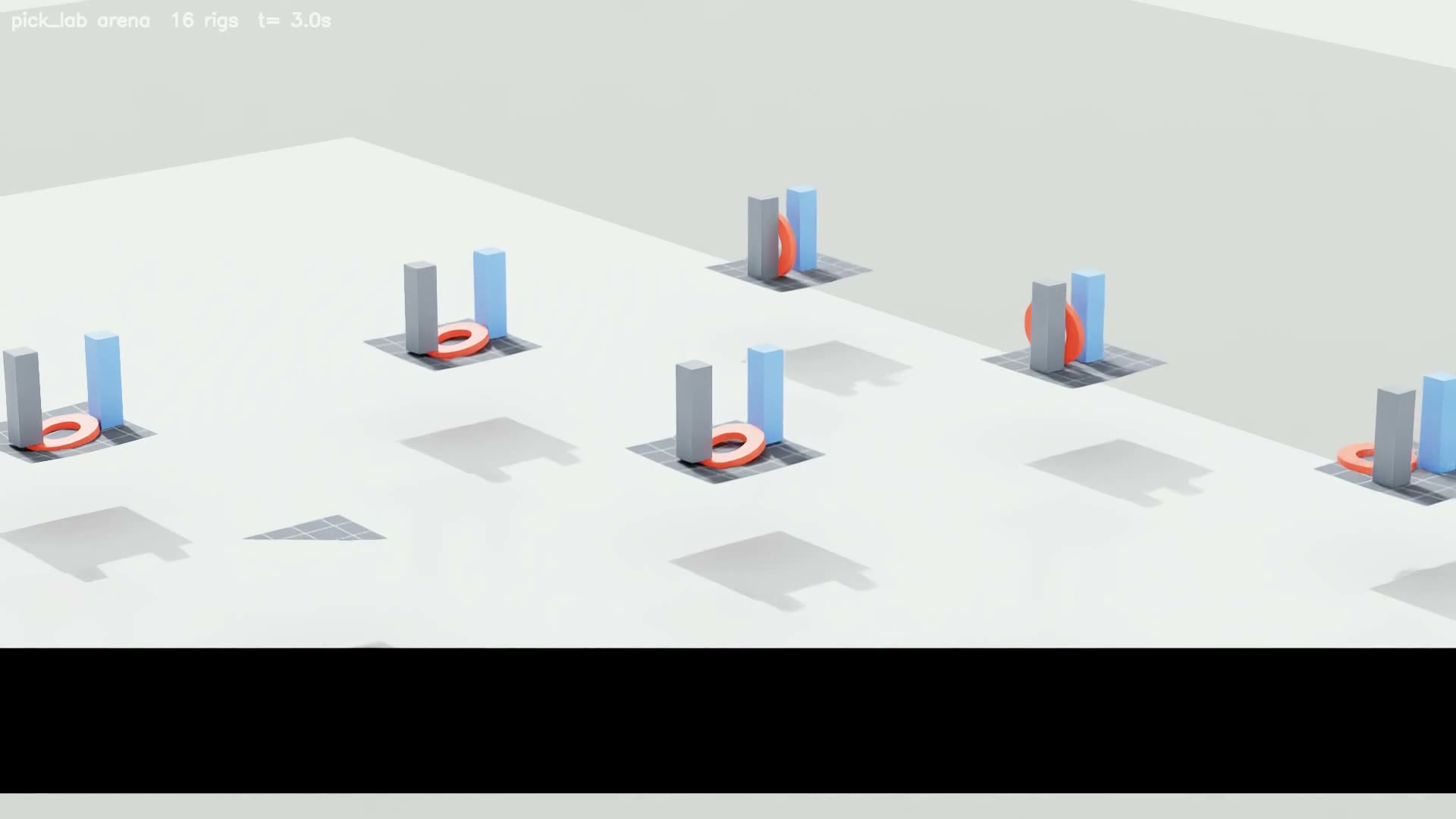
Each rig performs the maneuver with a slightly different parameter set; you keep the best ones, iterate around them, and breed the next generation of candidates. You also have to be careful about what you reward. At first I rewarded simply picking the part up,
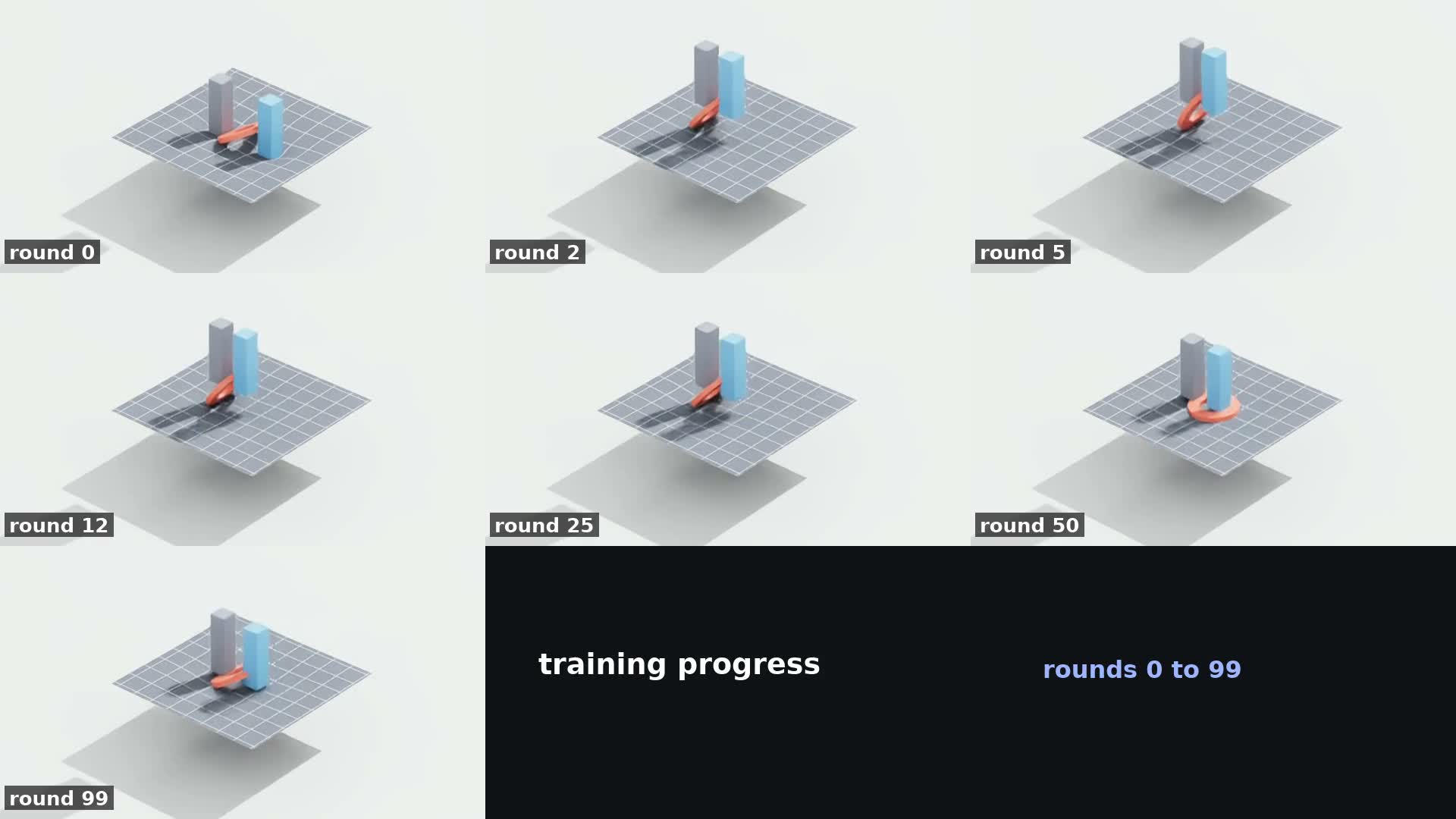
or the height it could lift the part — and I got a population of policies that flip the part instead of gently lifting it: press down, flick the washer up to vertical, catch it. It works, but it's unstable.
Sometimes the part flips up neatly; sometimes it gets thrown right out of the work area. That's not a behaviour you want to train in. What you want is a press that raises the part at a gentle angle — if the pick fails, the part is still sitting there and you simply try again.
Put a lot of energy into the part and flick it out of the arena, and there is no second try. In simulation you can reset it, of course — but then you're training something that scores well in simulation and is unstable in reality.
The clean pick
Here is the culmination of all of it: a lot of training runs, a lot of iterations, and a lot of watching videos — sometimes that's the only reliable way to know it's working. Ask an agent like Claude and it will happily report success;
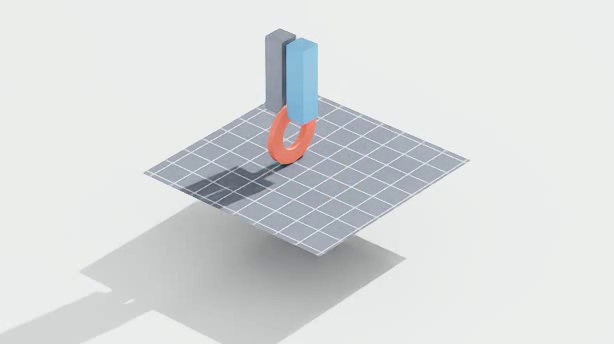
then you watch the render and the part has flipped, or disappeared entirely. So: watch the videos. In this one the gripper presses down, the washer rolls up onto its edge, and it's lifted gently clear of the pad — a clean pick.
That's where we're at. The next step is putting this into the workshop scene, so the washer gets picked and sorted alongside the other parts — I haven't done that yet. The Isaac Sim project you saw earlier still has plenty of features to develop,
and it consumes most of my local GPU. The soft-surface work is a development spike — a side quest running in parallel so the demos can pick up more kinds of parts. With the GPU busy on the main project, there's no bandwidth left at home for this work.
Scaling out on Nebius serverless jobs
So I deploy it to the cloud. For that I'm using Nebius, which offers what they call a serverless job: not a traditional virtual machine, but essentially a script you run from your own computer
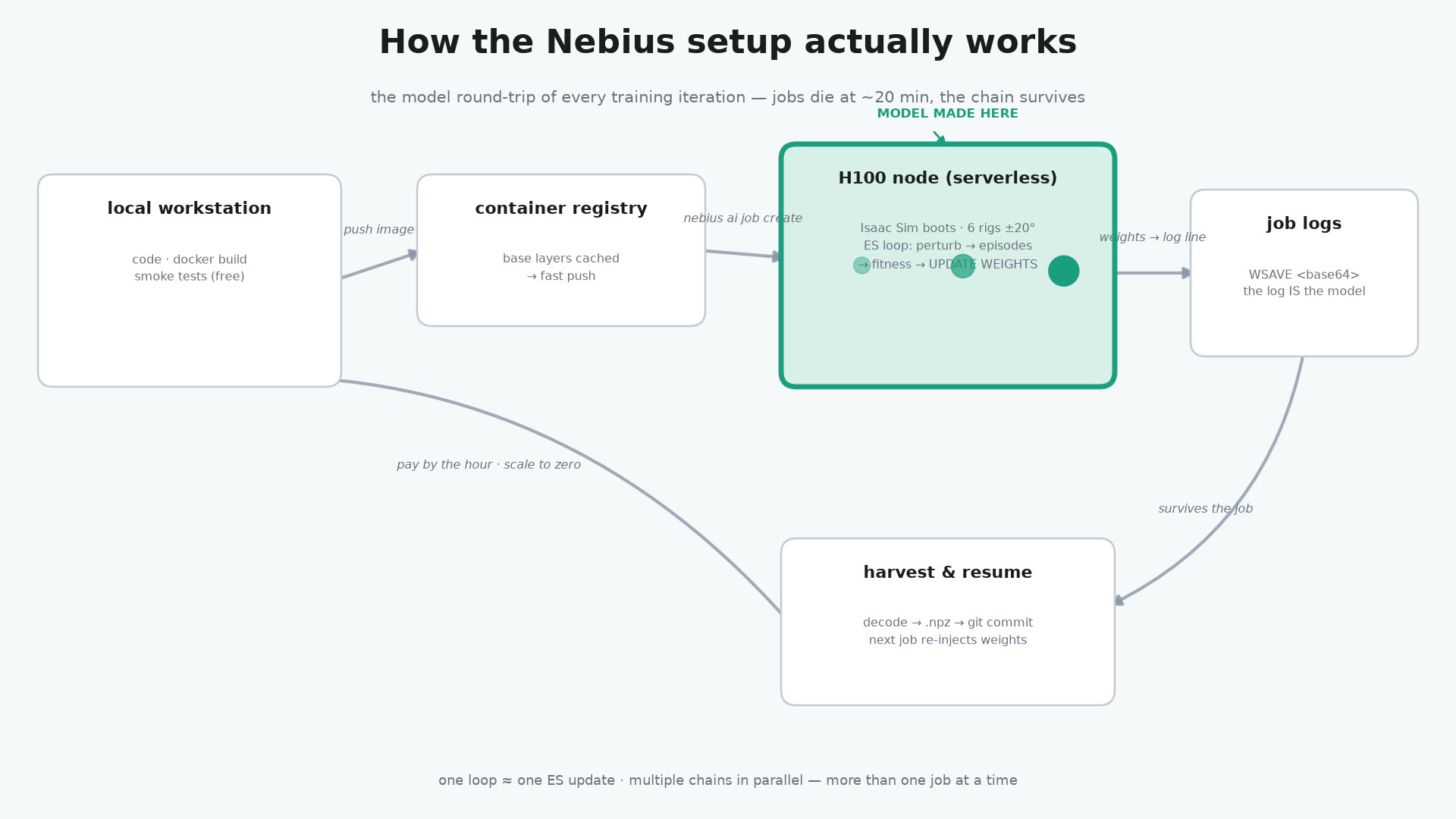
that ships the whole workload off to the cloud. I test locally first, and once it passes its smoke tests, the serious training runs in the cloud, paid by the hour. That works well — and it lets me run more than one job at a time when I only have one decent computer at home.
The next level: material and movement together
And not only that: having much more powerful GPUs at hand has let me take this to the next level. The early tests you've seen control just nine or so parameters to perform a pickup in simulation. The next level is fifty to sixty thousand parameters — a proper machine-learning loop.
I'm doing the early work on that right now on Nebius. It's what you'd call one step before full reality simulation: the model reads the sensor data, but it also reads the part's exact position from the simulation
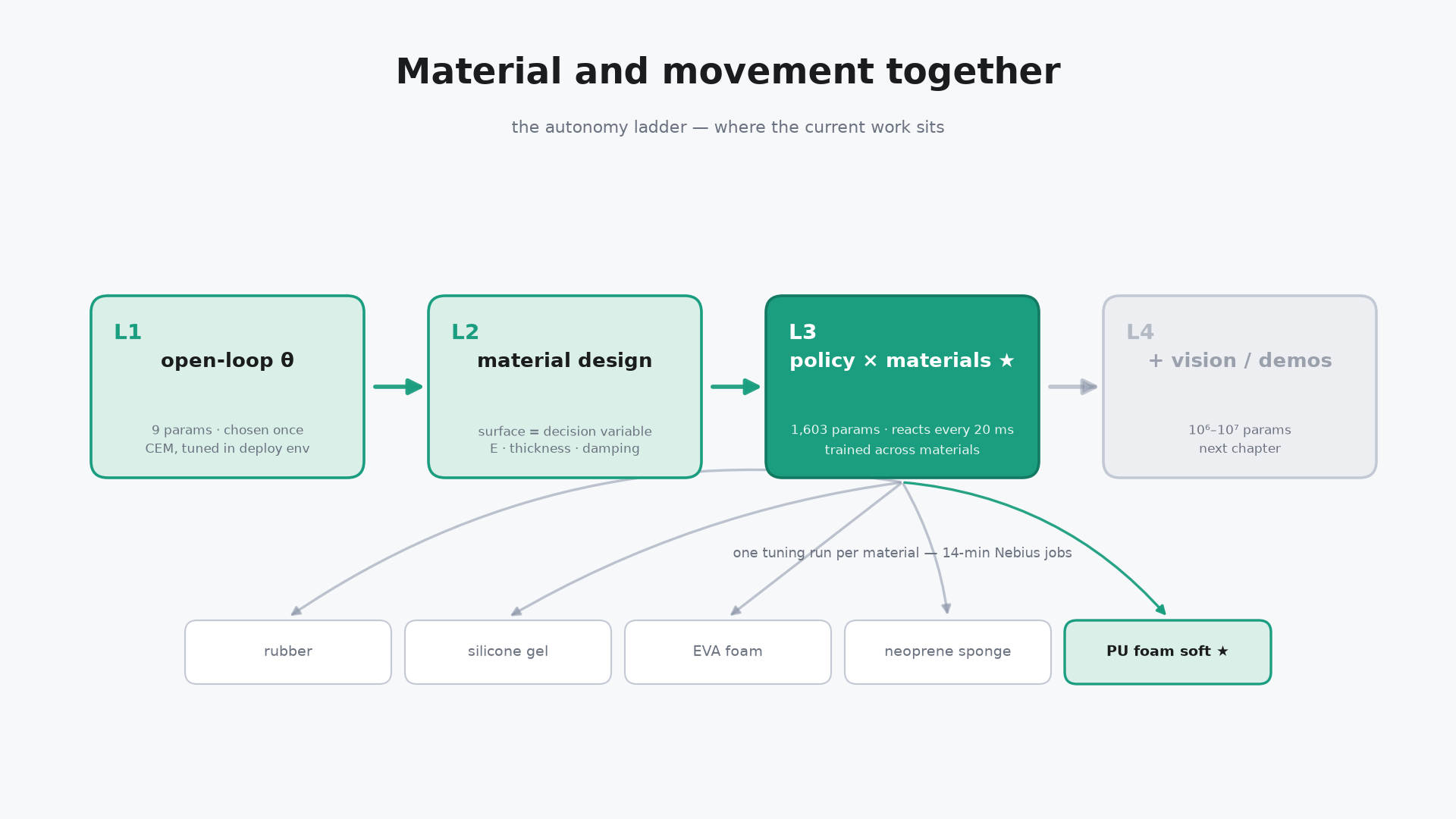
at about 20 Hz — so it knows precisely where the part is, without needing visual recognition to estimate it. From there, you train across different materials with different randomisations.
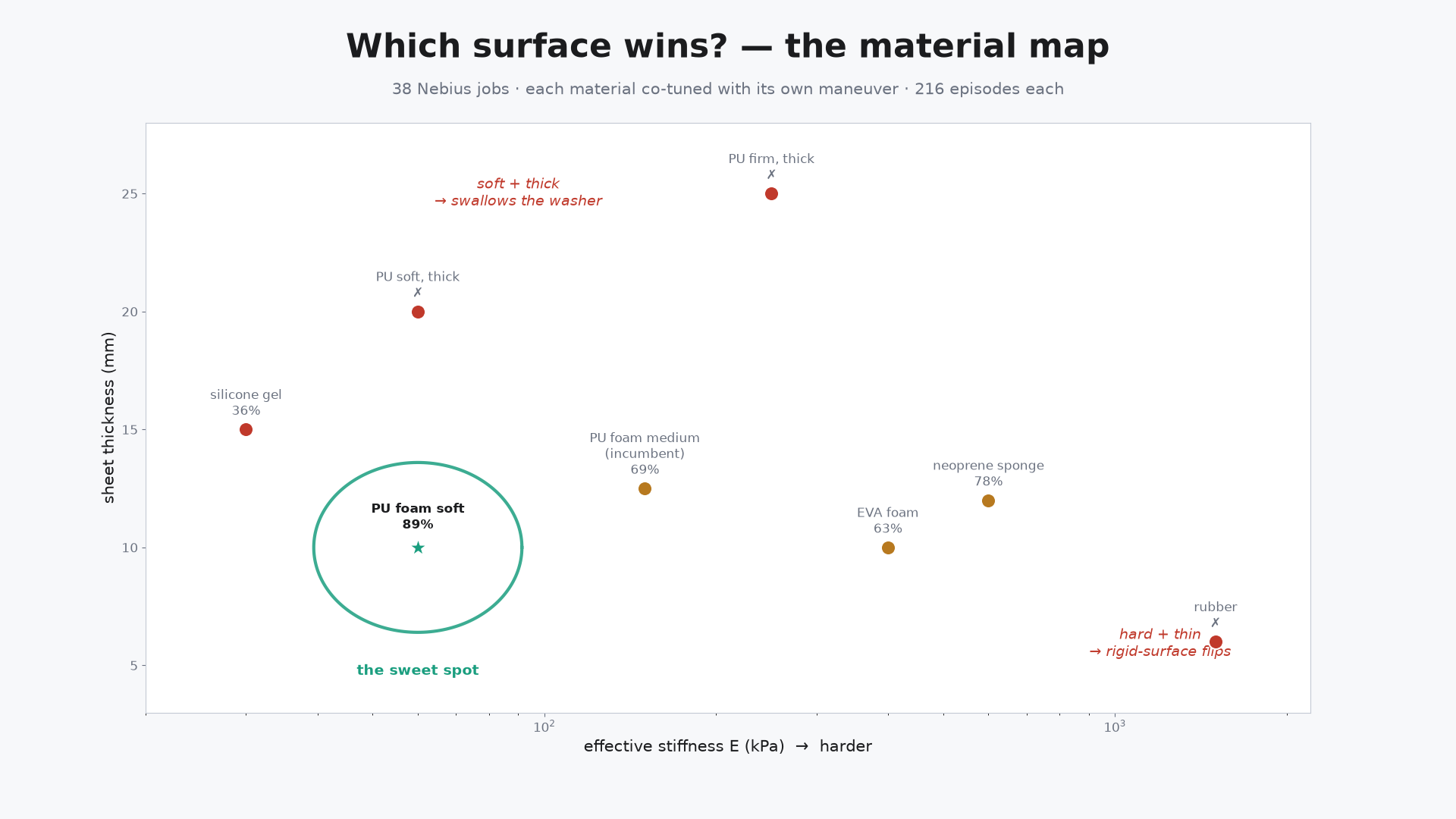
I'm also adding the ability for the model to change the material itself. We've been training toward a neoprene-like surface, but that may not be the optimal choice — so material selection becomes part of the training too.
So far, a soft polyurethane sheet is what it predicts to be the best surface for picking a flat object from. All of this is work in progress —
and it's nice to have powerful services at hand that I can spin up on demand for it. That's about all for today — thanks for listening.
Code: github.com/robotcompanyDave/rc-nebius-challenge-2026-public · Video: youtu.be/IAawtx7Snow · #NebiusServerlessChallenge